
Sit through enough meetings and you’ll notice the same problem in almost every boardroom: not enough power. Someone’s phone is propped against a table leg to charge, a laptop cord stretches across the floor to the nearest wall outlet, and the room that’s supposed to represent your business at its best ends up looking like a cable management afterthought.
It’s a small issue, but it’s an easy one to design around — and it’s become one of the most requested features on custom boardroom tables. Here’s what’s actually involved.
Choosing a Port Style
There are a few common approaches, and the right one usually comes down to how the room is used:
- Flush-mount ports sit level with the table at all times — practical for rooms with back-to-back meetings where people just need to plug in without extra steps.
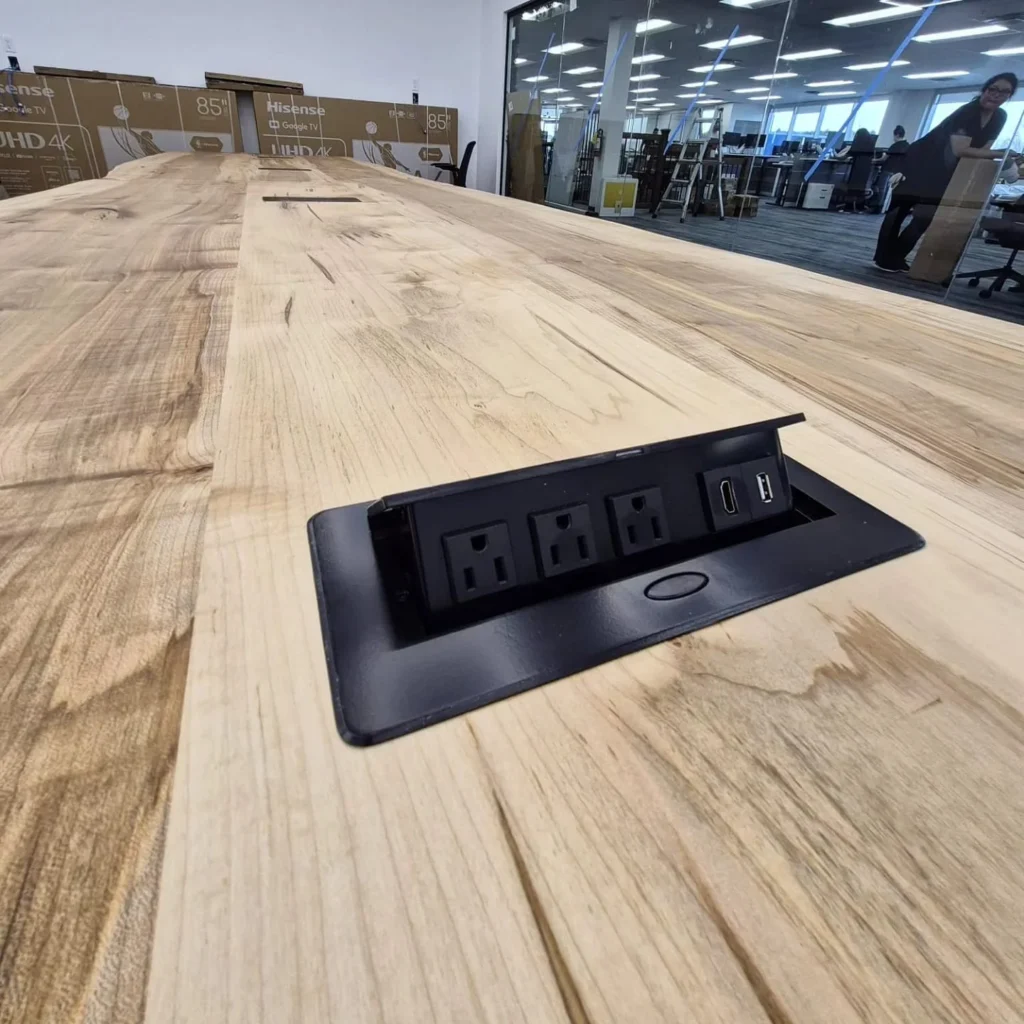
- Pop-up ports stay hidden until pressed, then rise and retract flush with the surface — a common choice for more formal executive tables where a clean, uninterrupted top matters.
- Side-mounted ports sit along the underside edge of the table, keeping the entire top surface completely clear — a good fit when the wood or epoxy detailing on top shouldn’t be interrupted by hardware.
What’s Typically Included
Most integrated power units combine several connection types in one unit: standard AC outlets for laptop chargers, USB-A for older devices, and USB-C for fast-charging current laptops and phones without a bulky adapter. For rooms that also handle presentations or video calls, HDMI or Ethernet is sometimes routed in alongside the power cluster, or nearby on a separate connectivity panel.
Planning Count and Placement
A reasonable starting point is one power port for every two to three seats, though this depends on how the room actually gets used — a table mainly used for internal check-ins can often get by with fewer, while a client-facing room where everyone presents from a laptop may need closer to one per seat.
Placement matters as much as quantity. Ports are usually set an even distance from the table edge and spaced along its length, so no one has to lean across a neighbour or run a cable the full length of the table to reach power.
The Step Most People Miss: Wiring
Because a power port needs an actual electrical connection, its placement relative to the room’s power supply has to be worked out before the table is built. For rooms with floor outlets nearby, this is usually simple — cable runs up through the leg or base. For rooms without nearby floor power, options include routing conduit under the table or having an electrician add a floor outlet during installation.
This is worth confirming with your table builder and an electrician together, before production starts, so the base design can accommodate the wiring path from day one rather than working around it later.
Getting It Right
Built-in power is a small feature relative to the table as a whole, but it’s one people notice the moment it’s missing — and one they stop thinking about entirely once it’s done well. Planning it in from the start, rather than retrofitting later, is what makes the difference.
TheBoardroom.uno boardroom tables with power ports.
